Medical Dictation Software for Windows

Built for Doctors, Ready in 3 Minutes

Medical Dictation Software for Windows

Physicians spend 49% of their workday typing notes instead of treating patients. Generic speech recognition doesn’t understand clinical language, it turns “atorvastatin” into gibberish and has no idea what a SOAP note looks like.

VoiceboxMD is medical dictation software for Windows designed from the ground up for clinicians. It understands 100,000+ medical terms across 100+ specialties, transcribes in real-time with 99% accuracy, formats your clinical notes automatically, and integrates with every major EHR, all while keeping patient data HIPAA-compliant with enterprise-grade encryption. Install it on your Windows 10 or Windows 11 PC in under 3 minutes and start dictating today.
medical dictation software for Windows

Real-Time Medical Dictation on Windows 10 & 11

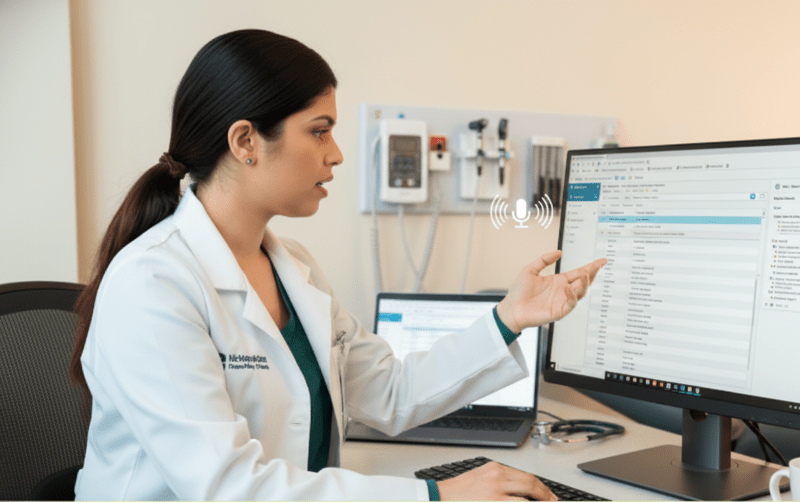
Speak naturally. See your clinical notes appear instantly, formatted, punctuated, and medically accurate. VoiceboxMD’s medical dictation software for Windows transcribes in real-time directly into your EHR or the built-in clinical Notepad. No lag, no buffering. The engine runs lightweight alongside your EHR without competing for system resources. Physicians consistently capture richer, more detailed patient data because they can focus on the encounter instead of the keyboard.

medical dictation software for Windows

Upload Audio Files & Get Formatted Notes in Minutes

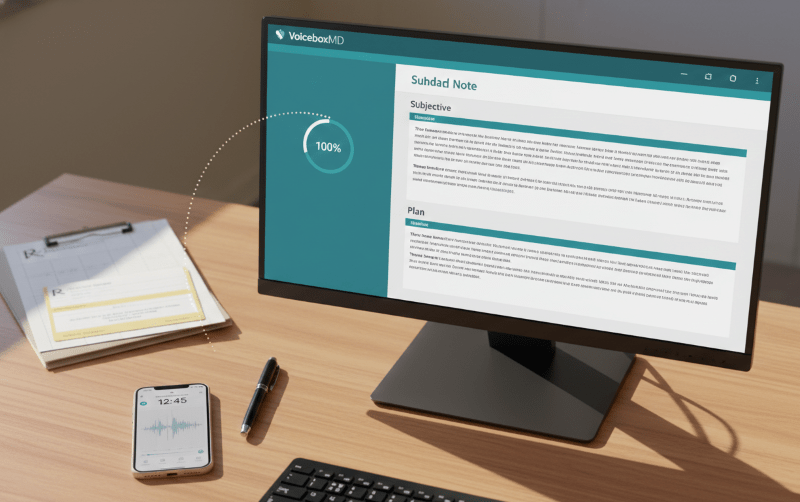
Recorded a patient encounter on your phone? Upload the audio file to VoiceboxMD on your Windows PC and get a fully transcribed, AI-formatted clinical note in minutes, complete with SOAP structure, proper medical terminology, and ready to paste into your EHR. Works with WAV, MP3, M4A, and all common audio formats. No more manual transcription backlog piling up at the end of your day.

AI medical scribe windows

AI Medical Scribe, Automated SOAP Notes

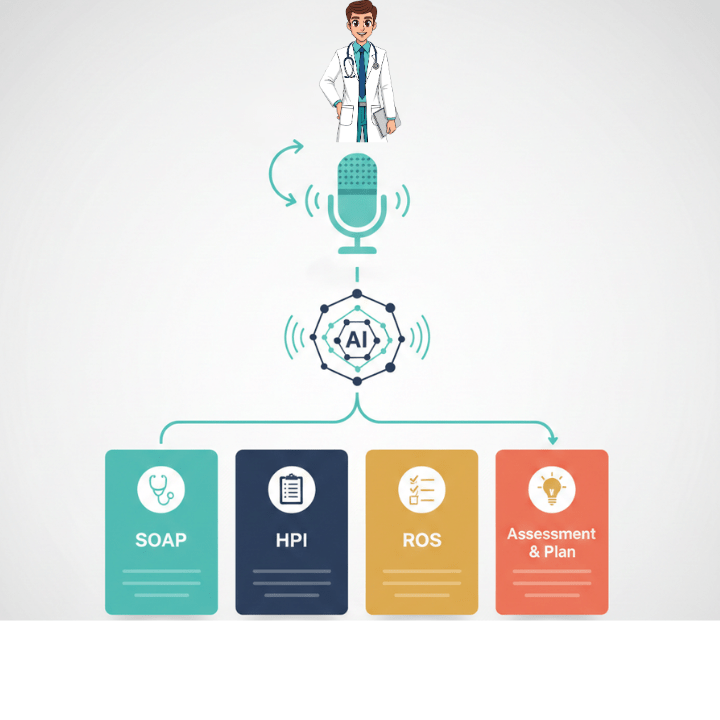
Go beyond dictation. VoiceboxMD’s AI Medical Scribe listens to your patient encounter and automatically generates structured clinical notes, SOAP format, HPI, ROS, Assessment & Plan, without manual editing. The AI understands medical note structure so you can speak naturally without worrying about punctuation, capitalization, or section formatting. Available on the Power ($79/mo) and Premium ($139/mo) plans.

HIPAA-Compliant & Enterprise-Grade Secure

VoiceboxMD for Windows encrypts all voice data with AES-256 at rest and TLS 1.3 in transit. Audio files are automatically deleted after transcription, they are never stored on our servers. Business Associate Agreements (BAA) are included at no additional cost for every subscriber. Your patients’ protected health information is secured at every step, no exceptions, no add-on fees.

medical dictation software for Windows

Setup in 3 Minutes. No IT Required.

Download. Install. Dictate. VoiceboxMD runs on Windows 10 and Windows 11, including the latest Windows 11 24H2 update. No complex server configuration, no IT tickets, no marketplace approvals, no .NET Framework headaches. Solo practices, group practices, and hospital systems alike can deploy VoiceboxMD in minutes per workstation. You’ll be dictating clinical notes faster than it takes to brew coffee.

medical dictation software for Windows

100,000+ Medical Terms. 99% Accuracy.

VoiceboxMD’s medical dictation engine is trained on millions of clinical records across 100+ specialties. Drug names, ICD-10 codes, CPT codes, anatomical terms, surgical procedures, all recognized and spelled correctly the first time. The self-learning AI adapts to your voice, accent, and specialty-specific vocabulary over time, getting more accurate with every use. Add custom terms for your practice, referring physicians, and clinic-specific language.

Mobile-to-Windows Sync. Dictate Anywhere.

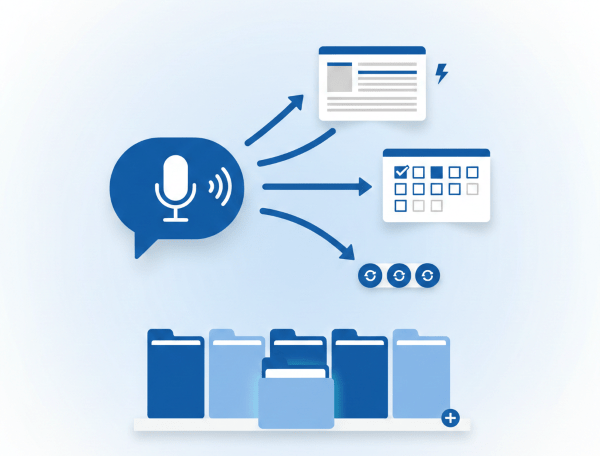
Dictate a patient note on your iPhone or Android walking between exam rooms. By the time you sit down at your Windows workstation, the note is transcribed, AI-formatted, and waiting for you. Copy into your EHR in one click. The VoiceboxMD iOS and Android app are fully HIPAA-compliant and syncs seamlessly with your PC, no cables, no manual transfers, no USB drives. Your custom vocabulary, macros, and templates sync across all devices automatically.

Works with Every EHR on Windows

Epic. Cerner. Athena Health. Practice Fusion. eClinicalWorks. Kareo. NextGen. Allscripts. MEDITECH. VoiceboxMD is EHR-agnostic, it works with all of them on your Windows PC. Place your cursor in any EHR text field, activate VoiceboxMD, and dictate. Your words appear exactly where your cursor is positioned. No plugins, no browser extensions, no IT department involved. If your EHR accepts typed text, VoiceboxMD can dictate into it.

medical dictation software for Windows

Custom Macros, Templates & Voice Commands

Build your own library of voice-activated shortcuts. Insert a complete Review of Systems with a single spoken command. Load your H&P template by saying its name. Create macros for your most-used phrases, counseling language, and discharge instructions. VoiceboxMD’s custom voice commands let you personalize your documentation workflow so every chart follows your preferred structure, consistently, every time.

The Clinical Notepad, Your AI-Powered Documentation Hub

VoiceboxMD’s built-in Clinical Notepad reimagines how physicians create documentation on Windows. Dictate naturally into the Notepad and the AI handles the rest, formatting your words into structured clinical notes with proper SOAP sections, HPI, ROS, Physical Exam, Assessment & Plan, and MSE for mental health encounters. No more worrying about punctuation, capitalization, or where things go. Speak your clinical thinking. The Notepad organizes it.

When your note is ready, paste it directly into your EHR with one click. Or use VoiceboxMD’s active dictation mode to transcribe straight into any EHR text field in real-time. Two workflows, one tool, zero wasted time.

The Math Is Simple

$49/month for medical dictation software that saves you 2+ hours every single day on your Windows PC. That’s roughly $1.60 per day to eliminate pajama-time charting, see more patients, and actually get home for dinner.

For a physician documenting 20 patients daily over 250 clinical days, VoiceboxMD recovers 1,250+ hours per year. At a physician’s loaded hourly cost ($150–$200), that represents approximately $187,500 in recovered productivity annually, from a tool that costs less than your daily coffee.

How Medical Dictation on Windows Works, 4 Steps, 3 Minutes

No IT department. No server configuration. No complex deployment. Here’s exactly how to start using medical dictation software on your Windows PC today:

1

Download

Download VoiceboxMD for Windows. Runs on Windows 10 and Windows 11 (including 24H2). Install in under 2 minutes.

2

Open Your EHR

Open Epic, Cerner, Athena, Practice Fusion, or any EHR on your PC. Click into the documentation field.

3

Dictate

Click the mic or press your hotkey. Speak naturally. Your clinical notes appear in real-time at 99% accuracy.

4

Review & Sign

Quick review, save, done. Average chart completion: 60–90 seconds. Charts done before you leave the office.

What Makes VoiceboxMD the Best Medical Dictation Software for Windows

99% Medical Accuracy

Trained on millions of clinical records. Recognizes drug names, ICD-10 codes, CPT codes, anatomical terms, and procedures across 100+ specialties, correctly, the first time.

100,000+ Medical Terms

Continuously updated medical vocabulary covering brand and generic drug names, surgical procedures, clinical phrases, and specialty-specific terminology. Add your own custom terms.

Real-Time Transcription

See your words appear instantly as you speak. No waiting for processing. Dictate directly into any EHR field or the built-in Clinical Notepad for AI-formatted output.

AI Medical Scribe

Automatically generates structured SOAP notes, HPI, ROS, and Assessment & Plan from your dictation. Speak naturally, the AI handles formatting, punctuation, and section organization.

Universal EHR Integration

Works with Epic, Cerner, Athena, Practice Fusion, eClinicalWorks, Kareo, NextGen, Allscripts, MEDITECH, and every other EHR. Intelligent cursor positioning, no plugins or IT setup.

HIPAA Compliant + BAA

AES-256 encryption at rest. TLS 1.3 in transit. Audio auto-deleted after transcription. Business Associate Agreement included for every subscriber at no extra cost.

iPhone-to-Windows Sync

Dictate on your iPhone between patients. Notes sync to your Windows workstation, transcribed, AI-formatted, and ready to paste into your EHR. Zero charting after hours.

Custom Macros & Templates

Voice-activated shortcuts for your most-used phrases, note templates, ROS text, and counseling language. Build a personalized workflow that saves time on every chart.

Self-Learning AI Engine

VoiceboxMD adapts to your voice, accent, speaking pace, and specialty vocabulary over time. The more you use it, the more accurate and personalized it becomes.

Windows 10 & Windows 11, Full Native Compatibility

VoiceboxMD medical dictation software for Windows is tested and fully compatible with every current Windows release. No worrying about update cycles breaking your dictation workflow:

Windows 11 (incl. 24H2)

✓ Full native support
✓ No legacy API dependencies
✓ No .NET conflicts
✓ Works day-one on new PCs

Windows 10 (all versions)

✓ Full native support
✓ Runs on existing hardware
✓ Lightweight on older machines
✓ Seamless upgrade path to Win 11

System Requirements

Windows 10 or Windows 11
4 GB RAM minimum
Microphone (built-in or USB)
Internet connection
Citrix & VMware compatible

3 Plans. No Contracts. Cancel Anytime.

Plan Price What You Get
Essential $49/mo Medical speech-to-text, 100K+ medical vocabulary, macros & templates, 1 Windows device, live chat & email support
Power ★ $79/mo Everything in Essential + AI Medical Scribe, automated SOAP notes, audio upload, up to 3 devices (Windows + iPhone), priority support
Premium $139/mo Everything in Power + doctor-patient comprehension, AI summarization, superbill creation, enhanced dashboard, free continuous upgrades

Annual billing saves up to 8%. Free trial included, 7 days monthly, 14 days annual. No setup fees.

Windows + iPhone = Zero Charting After Hours

Dictate on iPhone between patients. Notes sync to your Windows workstation, AI-formatted and ready. Your custom vocabulary, macros, and templates carry across every device. Currently available on iOS.

Who Uses Medical Dictation Software for Windows?

VoiceboxMD medical dictation software for Windows is used by physicians across every specialty and practice setting. If you document patient encounters on a PC, VoiceboxMD eliminates the typing bottleneck:

Primary Care & Family Medicine

High-volume practices where 15-minute visits leave zero time for typing. Dictate structured SOAP notes in real-time and finish every chart before the next patient.

Specialists & Surgeons

Complex terminology across cardiology, orthopedics, psychiatry, radiology, neurology, and 100+ specialties. VoiceboxMD’s vocabulary handles it all.

Hospital Systems & Groups

Most hospital workstations run Windows. VoiceboxMD deploys in minutes per workstation, no enterprise IT project, no server infrastructure needed.

Solo & Small Practices

No IT department? No problem. VoiceboxMD installs in minutes, costs $49/month, and scales from solo providers to multi-physician groups with shared templates.

Frequently Asked Questions, Medical Dictation Software for Windows

What is the best medical dictation software for Windows in 2026?

VoiceboxMD is the top-rated medical dictation software for Windows in 2026, purpose-built for physicians. It delivers 99% accuracy across 100,000+ medical terms, runs natively on Windows 10 and Windows 11 (including the latest 24H2 update), integrates with all EHR systems including Epic, Cerner, Athena Health, and Practice Fusion, and is fully HIPAA-compliant with BAA included. Plans start at $49/month with no contracts, no setup fees, and a free trial.

Does VoiceboxMD work on Windows 11, including the 24H2 update?

Yes. VoiceboxMD is fully compatible with all versions of Windows 11, including the 24H2 update. Because VoiceboxMD is cloud-based and uses modern application architecture, it does not rely on legacy APIs or deprecated Windows functions. It runs smoothly on all current and recent Windows 11 builds with no compatibility workarounds. It also runs flawlessly on all versions of Windows 10.

How does VoiceboxMD integrate with my EHR on Windows?

VoiceboxMD works at the operating system level using intelligent cursor positioning. Simply place your cursor in any EHR text field, Epic, Cerner, Athena Health, Practice Fusion, eClinicalWorks, Kareo, NextGen, Allscripts, MEDITECH, or any other system, activate VoiceboxMD with a click or hotkey, and start speaking. Your dictation appears in real-time exactly where your cursor is positioned. No IT department involvement, no plugins, no EHR marketplace installation required.

Is VoiceboxMD HIPAA compliant on Windows?

Yes. VoiceboxMD is fully HIPAA-compliant with enterprise-grade security on all platforms including Windows. All voice data is encrypted in transit (TLS 1.3) and at rest (AES-256). Audio files are automatically deleted after transcription, they are never stored on VoiceboxMD servers. Business Associate Agreements (BAA) are provided to all subscribers at no additional cost.

What is the AI Medical Scribe feature and how does it work?

VoiceboxMD’s AI Medical Scribe goes beyond traditional dictation. While dictation converts your spoken words to text in real-time, the AI Scribe listens to your encounter and automatically generates structured clinical notes, SOAP format, HPI, ROS, Assessment & Plan, and MSE for mental health. You speak naturally without worrying about formatting, punctuation, or section structure. The AI handles it. Available on the Power ($79/month) and Premium ($139/month) plans.

Does VoiceboxMD work in Citrix, VMware, and remote desktop environments?

Yes. VoiceboxMD works in virtualized environments including Citrix, VMware, and Windows Remote Desktop. Because it operates at the application level using intelligent cursor positioning rather than low-level OS hooks, it avoids the compatibility issues common in virtual desktop infrastructure (VDI) setups. This makes it ideal for hospital systems and multi-location practices using centralized desktop environments.

Can I dictate on my iPhone and sync notes to my Windows PC?

Yes. VoiceboxMD includes a dedicated iOS app that syncs with your Windows workstation. Dictate patient notes on your iPhone between exam rooms, during rounds, or on house calls. By the time you sit down at your PC, the transcribed and AI-formatted notes are waiting, ready to review and paste into your EHR. All data is HIPAA-compliant and encrypted end-to-end between devices.

What system requirements does VoiceboxMD need on Windows?

VoiceboxMD is lightweight and cloud-based. It requires Windows 10 or Windows 11, 4 GB RAM minimum, a microphone (built-in, USB headset, or professional handheld), and an internet connection. It uses minimal system resources and runs alongside your EHR without performance issues or slowdowns.

How much time can physicians save with VoiceboxMD on Windows?

Physicians using VoiceboxMD on Windows save approximately 15 minutes per patient encounter. For a provider seeing 20 patients per day over 250 clinical days, that equals 1,250+ hours saved annually, equivalent to more than 156 full 8-hour workdays. Most physicians report completing all charts before leaving the office, eliminating pajama-time charting entirely.

Does VoiceboxMD support custom templates, macros, and vocabulary on Windows?

Yes. VoiceboxMD on Windows includes custom templates, phrases, and voice-activated macros. Clinicians can instantly insert common note structures, review-of-systems text, and counseling language with spoken commands. You can add practice-specific terminology, clinic names, referring physician names, and frequently used phrases to your personal vocabulary, all syncing across your Windows PC, iPhone, and any other devices automatically.

How accurate is VoiceboxMD with medical terminology?

VoiceboxMD achieves 99% accuracy with medical terminology using specialized AI language models trained on millions of clinical records. The system recognizes complex drug names (brand and generic), anatomical terms, ICD-10 and CPT codes, surgical procedures, and clinical phrases across 100+ medical specialties. The self-learning engine adapts to your individual voice, accent, and specialty vocabulary over time, continuously improving accuracy.

Is there a free trial? Do I need a credit card?

Yes, VoiceboxMD offers a free trial with full access to all features, 7 days for monthly plans, 14 days for annual plans. A credit card is required to start the trial to provision the full HIPAA-grade production environment and prevent spam accounts. You can cancel anytime during the trial with no charge. No setup fees, no contracts.

Stop typing. Start dictating. Try VoiceboxMD on your Windows PC today.

Free trial. No contracts. No setup fees. Charts done before you leave the office.