
Dental Dictation Software
Dental voice recognition software built for dentists, with seamless Dentrix, Eaglesoft & Open Dental integration, HIPAA compliant.
Dictation software for dentists that also works as dental transcription software and, on the higher plans, a dental scribe: speak the note, or let the AI draft it from the visit.
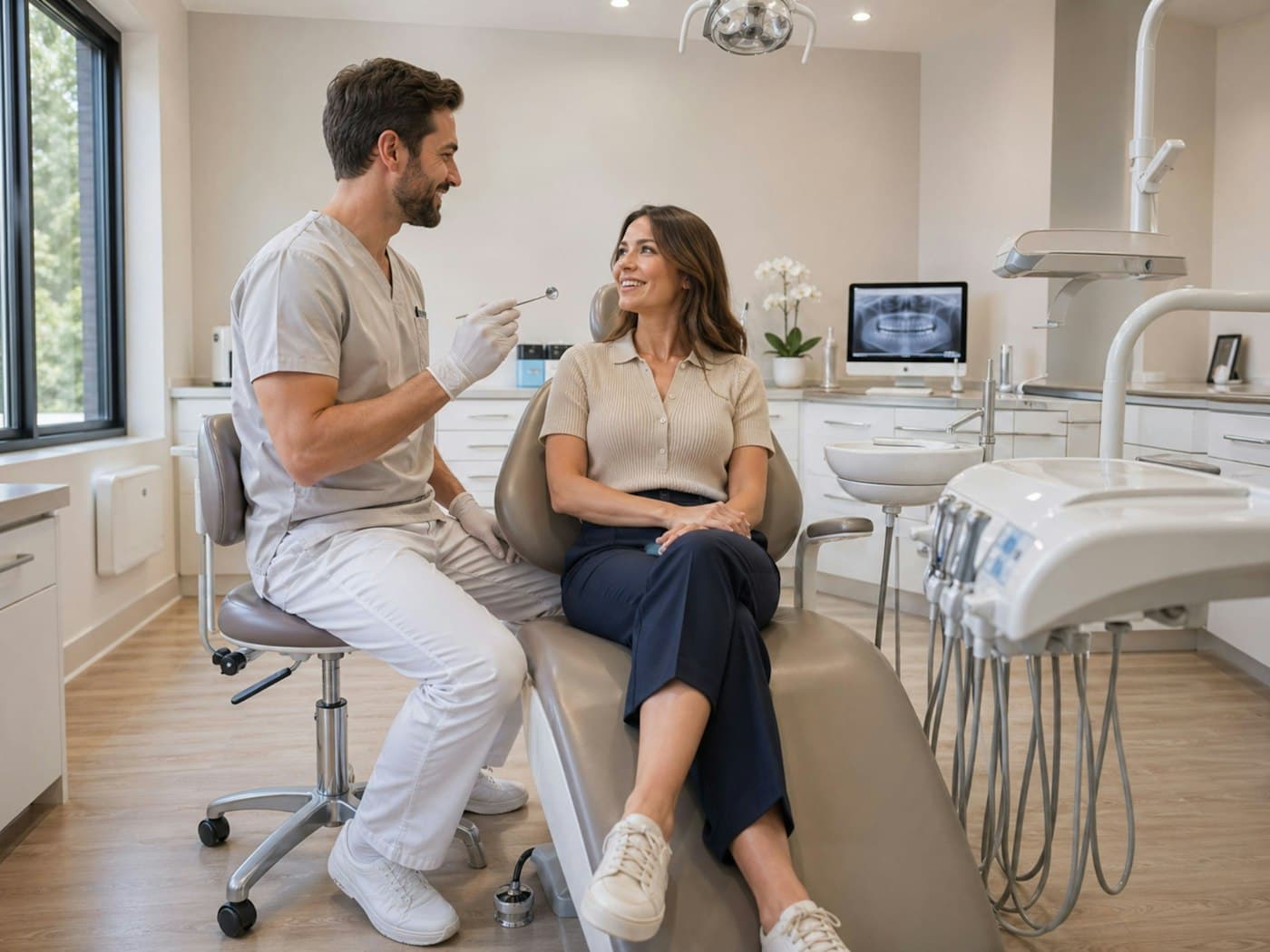
Chart entry dictated into Dentrix.
Voice-activated dental documentation, accurate out of the box
Custom Vocabulary
Add the terms your practice uses to custom vocabulary, and choose the Dental specialty setting for correct acronym capitalization and a starter vocabulary of dental terms.
Any Dental EHR
VoiceboxMD works at the OS level, dictate directly into Dentrix, Eaglesoft, Open Dental, Curve, DentiMax, Practice-Web, or any dental software. No API, no plugins, no IT required.
HIPAA Compliant
AES-256 encryption at rest, TLS 1.3 in transit, audio deleted automatically within 7 days. BAA included with every subscription at no extra cost.
Voice Commands & Macros
Format notes, insert templates, navigate fields, and trigger custom macros, all through voice commands. Create cleaner documentation without touching the keyboard.
Dental Terminology
A medical speech model that handles drug names, periodontal findings and procedure terms, plus custom vocabulary for anything specific to your practice.
Perio Charting
Voice-activated periodontal charting lets dentists and hygienists call out pocket depths, bleeding points, recession, and furcation involvement hands-free, without stopping to type.
- Machine Learning Enabled
- Create Custom Templates
- Available on Mobile, Mac & Windows
- Compatible with All Dental Software
- Voice-Activated Perio Charting
- Custom Dental & Medical Vocabulary
- Custom Voice Commands & Macros
Efficient Dental Notes, Charting Complete Before Your Next Patient
VoiceboxMD dental dictation software uses machine-learning speech recognition tuned for dental vocabulary, helping clinicians create accurate clinical notes and chart entries faster with fewer edits. Dictate chairside during procedures, between patients, or after hours on mobile, your words become formatted, punctuated documentation, including drug names and periodontal findings.
With VoiceboxMD’s AI Scribe mode, included on every plan, you can dictate a patient encounter summary and receive a structured SOAP note, or a perio assessment or treatment plan built from your own custom template, ready for review.
Use VoiceboxMD dental dictation software to dictate in an exam room or from your mobile device. Plans start at $49/month with no contracts.
Tested to Work Seamlessly with Dentrix, Eaglesoft & Open Dental
VoiceboxMD dental dictation software works at the operating system level, not as a plugin or marketplace add-on. Place your cursor in any text field inside Dentrix, Eaglesoft, Open Dental, Curve, DentiMax, or any dental practice management system, press your hotkey, and start speaking. Your words appear instantly, formatted and punctuated, with dental-grade accuracy. No IT department needed, no API integration, no configuration.
- Dentrix
- Eaglesoft
- Open Dental
- Curve Dental
- DentiMax
- Dentrix Ascend
- Practice-Web
- Denticon
- RxNT
- SolutionReach
Dental dictation that integrates with every practice management system: VoiceboxMD doesn’t require plugins, marketplace installations, or IT approval. If you can type in it, VoiceboxMD can dictate into it. Progress notes, treatment plans, referral letters, insurance narratives, all through your voice.
Less Time Documenting Means More Time with Patients
The drive to improve the wellbeing and health of your patients is what makes you a dentist. Every minute spent typing chart notes is a minute lost from patient care. VoiceboxMD dental dictation software gives you that time back, so you can see more patients, leave on time, and eliminate after-hours charting for good.
- Works with Your Dental EHR
- On the Go
- Secure & HIPAA Compliant
Mobile Dental Dictation, Dictate Anywhere, Sync Everywhere
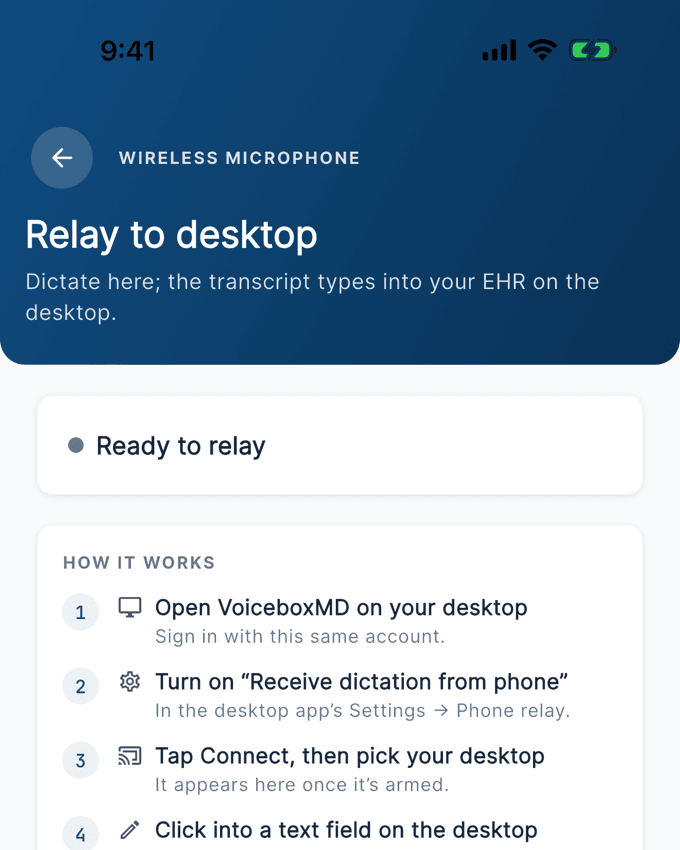
VoiceboxMD dental dictation software runs on Windows, macOS, iOS, Android and the web. Dictate patient encounter summaries on your iPhone between operatories, during lunch, or from home. Notes sync automatically to your Mac or Windows workstation and are ready to paste into your dental EHR.
The iPhone and Android apps support both real-time dictation and the ambient AI scribe, so you can record a visit and get a structured clinical note back to review. Data is encrypted in transit and at rest.
HIPAA-Compliant Dental Dictation with BAA Included
VoiceboxMD is built for healthcare from the ground up. All voice data is encrypted with AES-256 at rest and TLS 1.3 in transit. Audio is deleted automatically within 7 days. Patient data is never used to train public AI models.
We provide a signed Business Associate Agreement (BAA) to every subscriber at no additional cost. VoiceboxMD meets the strict data security, privacy, and compliance requirements that HIPAA demands for protecting patient health information. Your dental records are in safe hands.
Check compatibility: VoiceboxMD works with most EHR. See if it’s compatible with your EHR on the EHR & EMR dictation page.
Start dictating dental notes in under 2 minutes. No IT setup. No contracts. Plans from $49/mo.
Start free trialDental Dictation Software, Frequently Asked Questions
Everything dentists, hygienists, and practice managers need to know about using voice dictation software in a dental practice.
What dental EHR and practice management systems does VoiceboxMD support?
VoiceboxMD works with every dental practice management system and EHR on the market. This includes Dentrix, Eaglesoft, Open Dental, Curve Dental, DentiMax, Practice-Web, Dentrix Ascend, Denticon, RxNT, and SolutionReach, plus any server-based dental software.
Because VoiceboxMD works at the operating system level (not as a plugin), it dictates into any active text field on your screen. This means it also works in Microsoft Word, Outlook, Gmail, insurance portals, and referral letter templates. If you can type in a field, VoiceboxMD can dictate into it.
Scenario: You use Dentrix for charting but need to write a referral letter in Word and send a pre-authorization email through your insurance portal. VoiceboxMD handles all three, same software, same voice, no switching tools.
How does VoiceboxMD dental dictation software compare to Dragon Medical One?
Both VoiceboxMD and Dragon Medical One use speech recognition built for clinical terminology. The key differences come down to price, how you buy, and included features:
Price: VoiceboxMD publishes its price, from $49/month ($588/year). Microsoft does not publish Dragon prices; Dragon is sold through Microsoft and its resellers.
HIPAA compliance: VoiceboxMD includes a BAA with every subscription at no extra cost.
Setup: VoiceboxMD installs in under 2 minutes with zero IT involvement, and you can start a free trial online. Microsoft directs Dragon buyers to contact a representative.
AI Scribe: every VoiceboxMD plan includes the AI Medical Scribe that auto-generates SOAP notes, plus perio assessments and treatment summaries from your own custom templates, from $49/month. Microsoft's ambient scribe is Dragon Copilot; Dragon Medical One is dictation.
Mobile: VoiceboxMD includes iOS mobile dictation with desktop sync.
Scenario: if you are pricing Dragon, ask for a written quote per dentist per year and whether the BAA is included, then compare it with VoiceboxMD Essential at $588 a year with the BAA included.
Does VoiceboxMD recognize CDT codes, drug names, and advanced dental terminology?
For drug names and dental terminology, yes. VoiceboxMD uses a medical speech model that recognizes prescription drug names, periodontal terminology (pocket depths, bleeding on probing, clinical attachment loss, furcation classifications), endodontic and restorative terms, and oral surgery vocabulary. The Dental specialty setting adds a starter vocabulary of dental terms. CDT codes are not suggested automatically (code suggestions on Power and Premium cover ICD-10 and CPT), but you can add the CDT codes you dictate often to your custom vocabulary.
You can add the custom terms your practice uses to your vocabulary at any time.
Scenario: During a hygiene exam, you dictate 'Patient presents with generalized moderate chronic periodontitis. Probing depths of 4-5mm in the posterior sextants with bleeding on probing in teeth 3, 14, 19, and 30. Recommend SRP quadrants 1 and 4.' VoiceboxMD captures every term accurately, no corrections needed.
How does voice-activated periodontal charting work?
VoiceboxMD's perio charting feature allows dentists and hygienists to call out pocket depths, bleeding points, recession measurements, and furcation involvement hands-free while probing. Instead of stopping to type or rely on an assistant to record numbers, you speak the findings and VoiceboxMD enters them directly into your charting software.
This removes the communication errors that happen when one person probes and another records.
Is VoiceboxMD dental dictation HIPAA compliant?
Yes. VoiceboxMD is purpose-built for healthcare and meets all HIPAA requirements for protecting patient health information (PHI). Here is exactly what that includes:
All voice data is encrypted with AES-256 at rest and TLS 1.3 in transit. Audio is deleted automatically within 7 days. Patient data is never used to train public AI models. A signed Business Associate Agreement (BAA) is provided to every subscriber at no additional cost.
This matters for dental practices because consumer dictation tools (like Apple Dictation, Google Voice Typing, or Otter.ai) do not meet HIPAA requirements and can expose your practice to compliance violations and fines. VoiceboxMD eliminates that risk.
How much time can a dentist actually save with dental dictation software?
It depends on how much of your charting you type today, so measure it during the free trial: time a normal clinic day before you start, then time one with dictation and the AI scribe.
We do not publish an average for dentists, because we have not measured one. What changes is where the time goes: you speak the note while it is fresh instead of typing it at the end of the day, and the AI scribe drafts structured notes for you to review.
Plans are $49, $79 or $99 per month, with a 7-day free trial on monthly billing and 14 days on annual.
Can I use VoiceboxMD on my iPhone or iPad between patients?
Yes. VoiceboxMD includes a full-featured iOS app for iPhone and iPad. Dictate patient encounter summaries between operatories, during lunch, or from home. Notes are processed instantly and sync automatically to your Mac or Windows workstation, ready to paste into your dental EHR.
How much does VoiceboxMD dental dictation software cost?
VoiceboxMD offers three plans designed for different dental practice needs:
Essential ($49/month): The ambient AI scribe with no monthly note cap, real-time speech-to-text dictation, custom vocabulary, custom macros and templates. Best for solo practitioners who want the visit documented without charting after hours.
Power ($79/month): Everything in Essential plus ICD-10 and CPT code suggestions, referral and prior-auth letters, after-visit summaries, orders checklists, and pre-recorded audio upload in the web app. Best for dentists who want the paperwork around the visit written too.
Premium ($99/month): Everything in Power plus a writing style learned from your own edits (it takes effect after 10 notes). Best for practices that want the chart closed before they leave the room.
All plans include a free trial, HIPAA compliance with BAA, all future updates, and live support. No setup fees. No contracts. Cancel anytime.
Can I use VoiceboxMD for referral letters, insurance narratives, and emails, not just charting?
Yes. VoiceboxMD works in any text field on your computer, not just your dental EHR. Use it to dictate referral letters to specialists, insurance pre-authorization narratives, patient recall emails, disability documentation, treatment plan summaries, or any document that normally requires typing.
Do I need special equipment or a microphone for dental dictation?
No. VoiceboxMD works with your computer's built-in microphone or any USB headset. It uses a medical speech model plus your custom vocabulary.
That said, dental operatories can be noisy, suction, handpieces, adjacent conversations, and patient chatter all create background noise. If you plan to dictate chairside during procedures, a dedicated USB headset or noise-canceling microphone will improve accuracy even further.
For dictating between patients in quieter settings (your office, hallway, break room), your built-in mic work perfectly.
How long does it take to set up VoiceboxMD in my dental practice?
Under 2 minutes. Download VoiceboxMD after creating your account for Mac or Windows, or from the App Store for iOS. Install the application, and start dictating immediately.
There is no IT department involvement, no server configuration, no API integrations, and no marketplace installations. VoiceboxMD works at the operating system level, so it's compatible with your dental EHR from the moment you install it.
Can I cancel my VoiceboxMD subscription anytime? Are updates included?
Yes to both. There are no contracts and no cancellation fees.
All software updates, including new dental vocabulary, feature improvements, AI model upgrades, and security patches, are included at no extra cost for the duration of your subscription. You always have the latest version.
Charting complete before your next patient
Free trial, no IT setup, no contracts. BAA included on every plan.
Start free trial